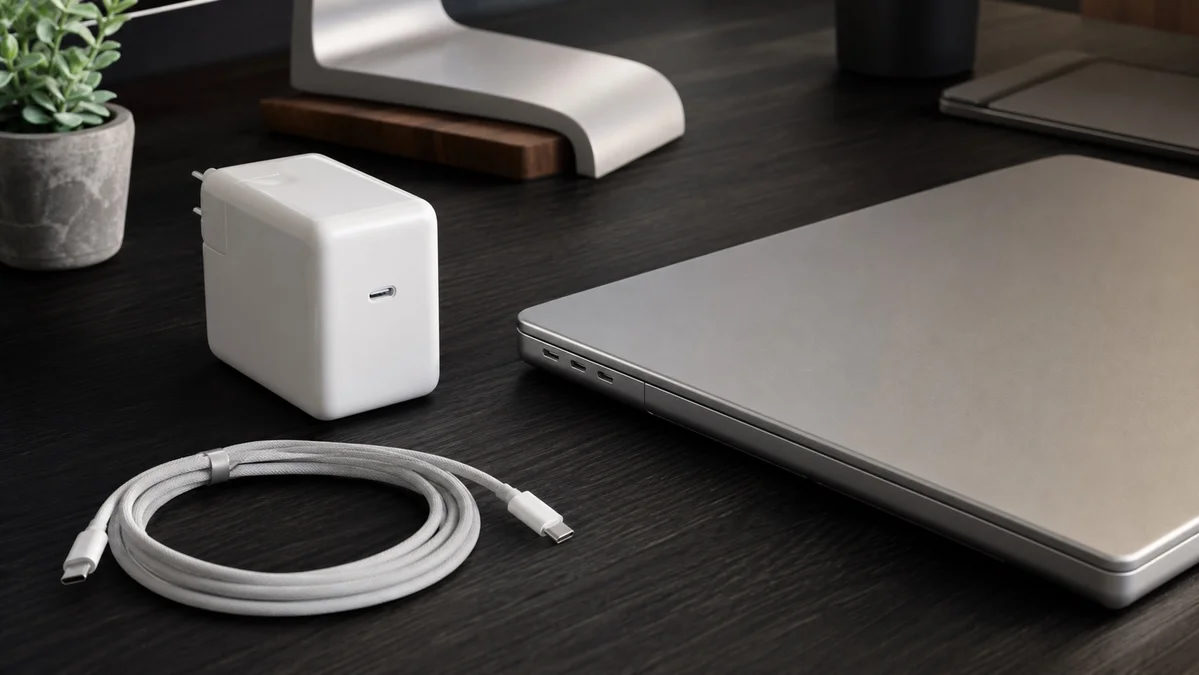
Quick answer: The 14-inch MacBook Pro with M6 comes with Apple's 70W USB-C Power Adapter and a 2 m USB-C to MagSafe 3 Cable, according to Apple's tech specs. Apple lists 60W as the minimum wattage it recommends for charging, and says fast charging needs a 96W or higher USB PD power source. Apple's fast-charge claim is up to 50 percent in about 30 minutes. Apple announced the M6 model on 27 October 2026, with pre-orders from 28 October and availability from 6 November. If you top up between meetings or on the move, a 96W or higher charger is worth it. If you mostly charge overnight or at a desk, the 70W in the box is enough.
What's in the box: M6 vs M5 Pro and M5 Max
Apple's US MacBook Pro tech specs list the in-box charger by chip. The M6 shares its 70W adapter with the entry M5 Pro, while the higher 14-inch chips get the 96W.
14-inch MacBook Pro chargers by chip (Apple US tech specs):
| 14-inch model | Adapter in the box | Cable in the box | Minimum recommended | Fast charge needs |
|---|---|---|---|---|
| M6 | 70W USB-C Power Adapter | USB-C to MagSafe 3 Cable (2 m) | 60W | 96W or higher USB PD source |
| M5 Pro, 15-core CPU | 70W USB-C Power Adapter | USB-C to MagSafe 3 Cable (2 m) | 70W | 96W or higher USB PD source |
| M5 Pro, 18-core CPU | 96W USB-C Power Adapter | USB-C to MagSafe 3 Cable (2 m) | 70W | 96W or higher USB PD source |
| M5 Max | 96W USB-C Power Adapter | USB-C to MagSafe 3 Cable (2 m) | 70W | 96W or higher USB PD source |
Box contents differ by country, so check the tech specs on your region's Apple Store page before you order. The 16-inch MacBook Pro has no M6 model yet; it comes with M5 Pro or M5 Max and a 140W adapter.
Do you need a 96W charger?
The 70W charges the M6 at normal speed. It is above the 60W Apple recommends, but below the 96W Apple names for fast charging. Apple's M6 announcement says the laptop reaches "up to 50 percent charge in just 30 minutes" with "a compatible higher-wattage USB-C power adapter, such as the 96W Power Adapter." Apple's fast-charge page lists the 96W and the 140W adapters for the 14-inch MacBook Pro, each with a USB-C to MagSafe 3 Cable or a USB-C charge cable.
- Get a 96W or higher charger if you often plug in for half an hour before heading out, charge between classes or meetings, or want a second charger for a bag or office anyway.
- Keep the 70W if the Mac charges overnight or sits on a desk most of the day. Apple's fast-charge claim covers the first half of the battery.
- Already have an Apple display? Apple's fast-charge page lists the Studio Display, Studio Display XDR and Pro Display XDR with a Thunderbolt cable as fast-charge sources for the 14-inch MacBook Pro.
For more on the adapter in the box, see our Apple 70W adapter guide.
MagSafe 3 or USB-C, and which cable
The M6 has a MagSafe 3 port and three Thunderbolt 4 (USB-C) ports, and Apple's specs say it supports charging through a USB-C power adapter or other USB PD power source. Apple's fast-charge page accepts either the USB-C to MagSafe 3 Cable or a USB-C charge cable with the 96W or 140W adapter, so the port you charge through does not decide whether you get fast charging.
The cable does matter on the USB-C route. USB-IF certifies USB-C cables at 60W or 240W, and a 60W cable cannot carry 96W. The MagSafe 3 cable in the box works with a 96W adapter. For USB-C charging, use a cable rated for at least 100W, or a 240W cable such as Apple's 240W USB-C Charge Cable. Our MacBook ports guide explains MagSafe 3 and Thunderbolt in more detail.
Charger options
These are specification-based options, not a tested ranking. The links go to Amazon searches, so confirm the seller and exact model on the listing before you buy.
- Apple 96W USB-C Power Adapter: the adapter Apple names in its M6 fast-charge claim, and the simplest upgrade from the 70W. Search Amazon for Apple 96W USB-C Power Adapter
- Apple 140W USB-C Power Adapter: Apple also lists it for fast charging the 14-inch MacBook Pro. It mainly makes sense if you also own a 16-inch model. See our guide to who needs the 140W. Search Amazon for Apple 140W USB-C Power Adapter
- 100W-plus GaN chargers from Anker or Belkin: check the maker's spec for the output of one port, since that is what the Mac gets. Anker says its Prime Charger (160W, 3 ports) supports 140W PD 3.1 on a single port. Belkin lists up to 140W from USB-C port 1 of its BoostCharge Pro 140W 4-Port GaN charger when that port is used alone. Search Amazon for Anker Prime 160W 3-port GaN charger or Search Amazon for Belkin BoostCharge Pro 140W 4-Port GaN on Amazon
Apple's fast-charge claim is based on its own adapters. For a third-party charger, the maker's spec sheet is the only source for what each port delivers.
Cables
- USB-C to MagSafe 3 Cable: one comes in the box. A second one is useful if you keep a charger at work and another at home. Search Amazon for Apple USB-C to MagSafe 3 Cable
- USB-C charge cable rated 100W or 240W: for charging through a Thunderbolt port, or for sharing one cable with an iPhone or iPad. Search Amazon for Apple 240W USB-C Charge Cable or Search Amazon for 240W USB-C charge cable on Amazon
One charger for the Mac and an iPhone
A multi-port GaN charger can replace two bricks, but its headline wattage is the total across all ports. Belkin's own table for the BoostCharge Pro 140W shows the point: up to 140W from USB-C port 1 alone, but up to 65W on that port once a second USB-C device is connected. On a charger like that, plugging in your iPhone over USB-C takes the Mac below the 96W Apple names for fast charging. Look for a maker's table that shows 96W or more on the laptop port with your other devices connected, or accept normal-speed charging when the ports are shared.
Our multi-device Apple charging guide walks through power sharing, and the 30W and 35W iPhone charger guide covers a separate small charger for the phone. For a wider comparison of Apple and GaN adapters, see which MacBook charger to buy.
What to skip
- Chargers that list only a total wattage. Without a per-port table you cannot tell what the Mac will get.
- 60W-rated USB-C cables for fast charging. USB-IF's 60W rating is below the 96W Apple names.
- A 140W adapter bought only for the 14-inch M6. Apple lists it for fast charging, but gives the same "96W or higher" requirement and no faster figure for this model.
- Replacing the 70W if you charge overnight. Apple says a Mac charges with any USB-C adapter, even a lower- or higher-wattage one than recommended (Apple).
FAQ
Does the M6 MacBook Pro come with a charger? In the US, yes: Apple's tech specs list the 70W USB-C Power Adapter and a 2 m USB-C to MagSafe 3 Cable in the box. Other countries can differ, so check your region's Apple Store page.
Can I use my old 67W adapter? Yes. Apple says a Mac can charge with any USB-C power adapter, even one with higher or lower wattage than recommended. The 67W is above the 60W minimum Apple recommends for the M6, but below the 96W Apple says fast charging needs.
Will a 140W adapter charge faster than the 96W? Apple doesn't say so. Its specs ask for "96W or higher" for fast charging, and its fast-charge page lists the 96W and the 140W for the 14-inch MacBook Pro without a different figure for either.
Can I use an iPhone charger? It will charge the Mac, since Apple says any USB-C adapter works, but an iPhone charger is well below the 60W Apple recommends for the M6, so it will charge more slowly than the 70W in the box. Use it only in a pinch.
Sources
- Apple: MacBook Pro tech specs (in-box contents, minimum wattage, fast-charge requirement, ports)
- Apple Newsroom, 27 October 2026: Apple introduces the new 14-inch MacBook Pro with M6 (fast-charge claim, pre-order and availability dates)
- Apple Support: Fast charge your Mac and Use a power adapter with your Mac
- MacRumors, 27 October 2026: Apple Announces New 14-Inch MacBook Pro With M6 Chip
- Anker: Prime Charger (160W, 3 ports); Belkin: BoostCharge Pro 140W power output; USB-IF: cable power rating guidelines
Related Articles
Which MacBook Charger to Buy: Apple Adapter or GaN?
A decision guide for MacBook chargers: Apple's fast-charge wattage by model, single-Mac, Mac-plus-iPhone and travel setups, and a checklist for third-party GaN chargers.
Read Now
Best MacBook Pro Accessories 2026: M5, M5 Pro and M5 Max
A spec-first MacBook Pro accessory guide: what the M5, M5 Pro and M5 Max already have, then docks, chargers, displays, storage and sleeves with what to check.
Read Now
Best USB-C Hubs and Docks for MacBook Air and Pro 2026
A source-backed buyer guide to compact USB-C hubs and Thunderbolt docks for current MacBook Air and MacBook Pro setups.
Read Now
Apple 70W USB-C Power Adapter: Who It's For and When to Go 96W
Which Macs Apple recommends the 70W for, which ship with it, the one Mac family it fast charges, and when a 96W or 140W makes more sense.
Read Now
Apple 140W USB-C Power Adapter: Which MacBooks Need It?
Apple's recommended adapter, in-box charger and fast-charge combination for every MacBook, and the one model that actually needs the 140W.
Read Now
Best iMac Accessories 2026: What the M4 iMac Actually Needs
Accessories that fill the M4 24-inch iMac's real gaps, built from Apple's specs: front-access hubs, external SSDs, VESA mounting, and Touch ID and Ethernet by model.
Read Now